

Supporter CRM
A 0–100 score for every supporter, with a plain-English reason for each point and a 90-day trend that shows who is warming up and who is cooling off.
Donor levels you define, an owner and a stage for every relationship, a My portfolio view for each staff member, and retention you can track.
An identity header, a giving summary strip, an Overview with the full timeline, and six tabs. Staff can mark a supporter as deceased and record the date.
One model for family memberships at a museum and for businesses and their people at a chamber. Each membership level sets how many household places it includes, and the member chooses who fills them.
A queue that finds likely duplicate records, merges them field by field, and lets you undo a merge.
In-honor and in-memory gifts, with tribute letters for staff to send to the family.
Volunteer shifts and hours on the same record as everything else a person does for you. Switch on the Volunteers area for standing weekly shifts and a public sign-up page.
Track grant awards, and they flow into the ledger with the rest of your revenue.
A one-question feedback survey, so you hear how a visit went from the people who made it.
Email and letters
Email and letter templates with merge fields, letterheads with a footer image slot, payment tags and soft credits.
Sequences that start when someone gives, joins, renews or lapses, including automations set up for a single event.
See who opened and clicked your appeals and newsletters, on each supporter's record.
Every email Clerestory sends uses one Letter design that carries your organization's logo.
Supporters can resubscribe, members choose what they receive, staff record reasons and see who has unsubscribed, and Mailchimp re-confirmation is supported.
Renewal and dues reminders, event reminders two days before and on the day, and declined payments retried on their own. Turn off any automatic email for your whole account.
Memberships
Members join, renew and move up a level on the terms you set, and their dates come out right without anyone checking them.
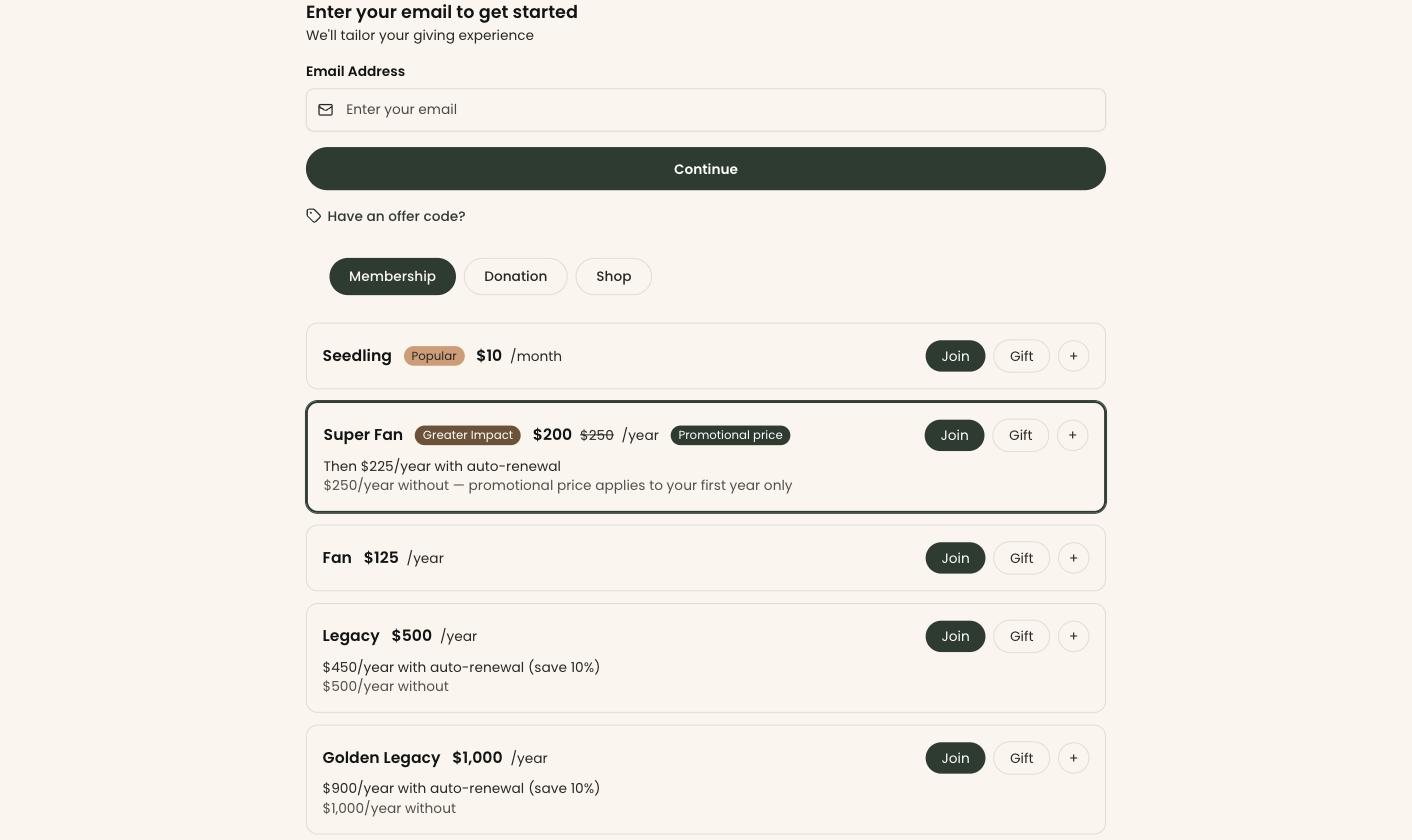
Each level has its own price, term and benefits, with monthly payments and a discount for turning on auto-renew.
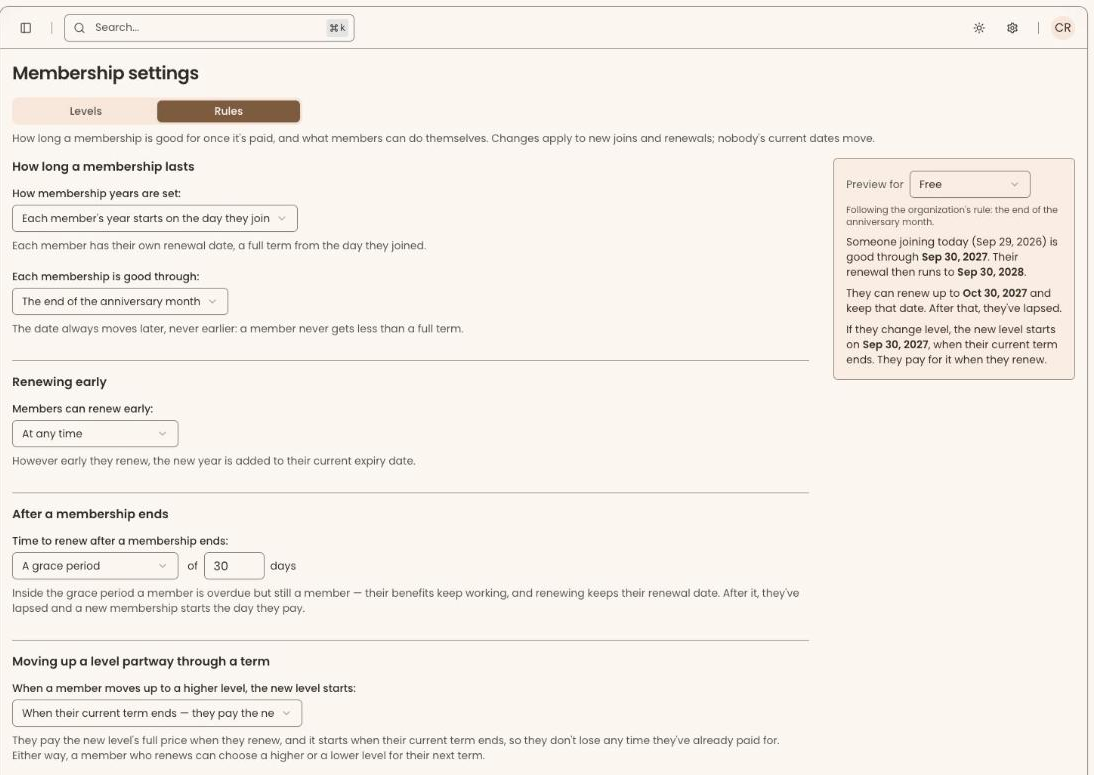
Start each year on the day a member joins, or give everyone the same dates and choose what late joiners get.
Each level sets how many household places it includes, and covered people count as members in lists, reports and admission.
Each renewal follows on from the date a member is paid through, so a term is never skipped or doubled.
Sell a membership as a gift, or give one to a volunteer or board member at no charge.
Keep benefits working through a grace period, and preview the exact dates a new member would get before a rule changes.
Membership dues
Bill dues on a fixed schedule and see what has been collected against what was billed, without building a spreadsheet.
Bill dues by tier every month, quarter, half-year or year, starting in the month you choose.
A member who joins mid-period pays only for the days left in it.
Each period shows who has paid, who is due, who is overdue and whose card did not go through.
Mark a member honorary or emeritus and their dues are waived automatically, with every waiver in its own report.
Members can pay dues automatically, and a declined card is tried again on its own.
Record a check when the treasurer hands you one, and export who owes before the board meeting.

Donations
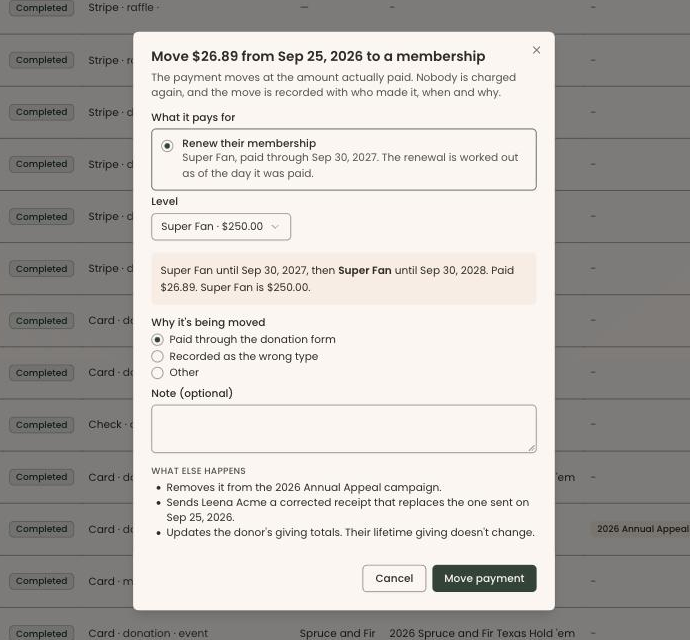
Take gifts online, in person or by hand, let donors cover the fees, and fix a payment that went to the wrong place without charging anyone again.
Donors give once, or monthly, quarterly, twice a year or annually. Switch on pledges to track promised gifts with a payment schedule, paid by card automatically or from the supporter's portal.
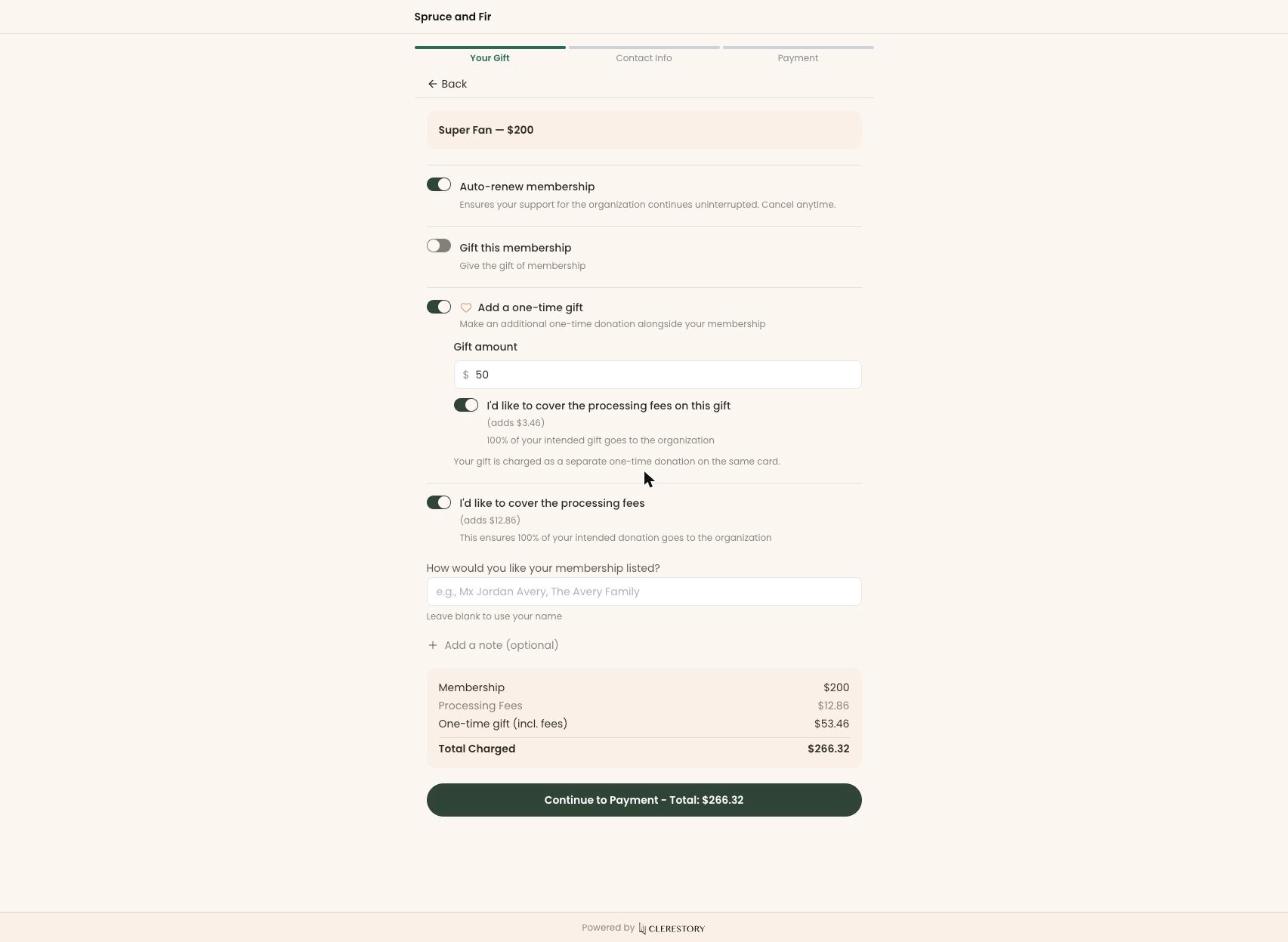
Across every payment through September 2026, 44% of people paying chose to cover the fees, which paid 41% of all processing fees.
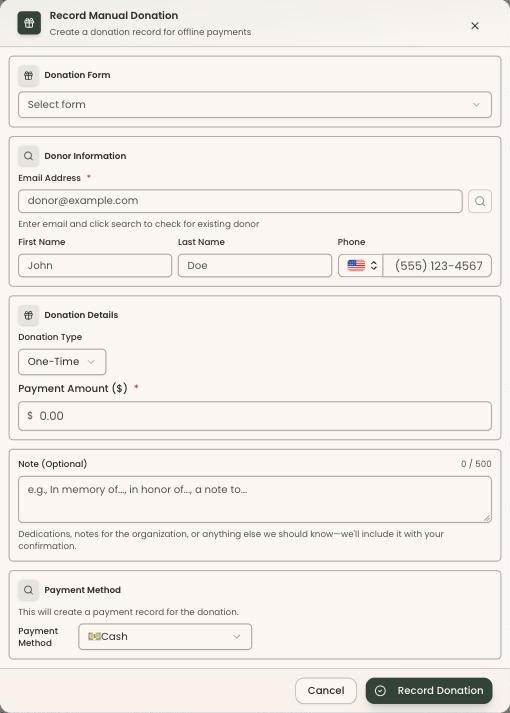
Record a cash or check gift on the donor's record, and it counts in every report beside card payments. Record gifts of stock and DAF grants too, with the DAF's advisor credited and thanked.
Re-assign a payment to an event, membership dues, the shop and more. Nobody is charged again, and the donor gets a corrected receipt.
Tag a payment to a campaign, fund or appeal, and give soft credit without changing the receipt.
Gifts in honor or in memory, with a tribute letter for the family.
Admission
Sell admission by price tier, let members and their guests in free, and take your visitor numbers from the sales rather than a clicker.
Prices for adults, seniors, students, youth and children, and reduced prices for EBT cardholders or military families.
Tiers that need proof, such as a student ID, are marked so staff know to ask.
Free admission is a benefit you set per membership level, including how many guests a member can bring.
A discount for groups of a size you choose or larger.
Daily visitor counts by price tier, straight from the sales.
Admission is sold by price tier. Timed sessions with a capacity can be sold as an event series.

Events and ticketing
Sell tickets, tables and sponsorships from event pages that already know who your members are, and check everyone in at the door with a scanner.
An Orders tab with order numbers, accounting for each order, ticket inventory and a revenue ledger.
A scanner for every event, a gala desk mode, and a link for volunteers that needs no kiosk PIN.
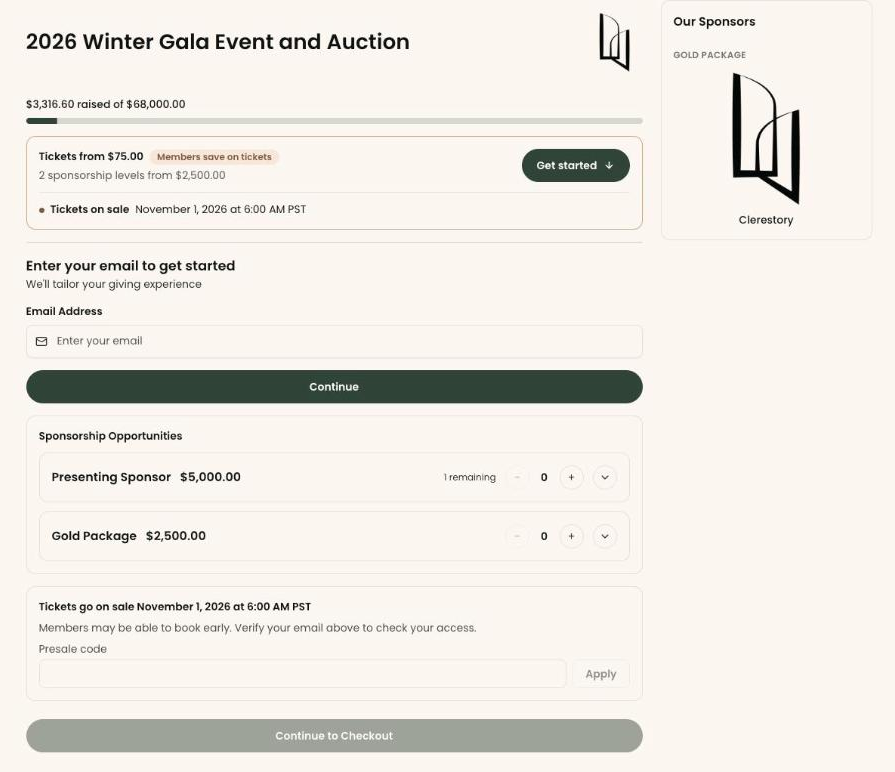
Sponsorship opportunities on the event page, and a sponsor wall that shows every logo at the same size.
Member-price badges, presale codes, and a clear “How do I get this offer?” explanation on the page.
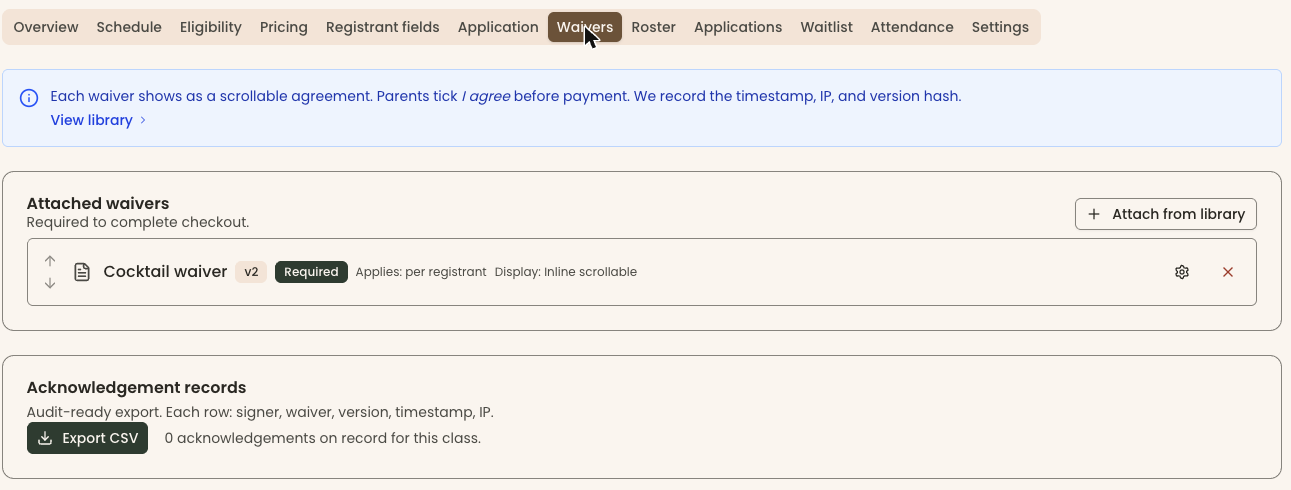
One waiver library, one signing step, a “sign later” link, and paper and email waivers side by side.
Automatic reminders two days before and on the day, and a “Your tickets” email staff can view and resend.
Optional minimum and maximum tickets per order.
Cancelling a paid order asks what should happen to the money.
Auctions and paddle raise
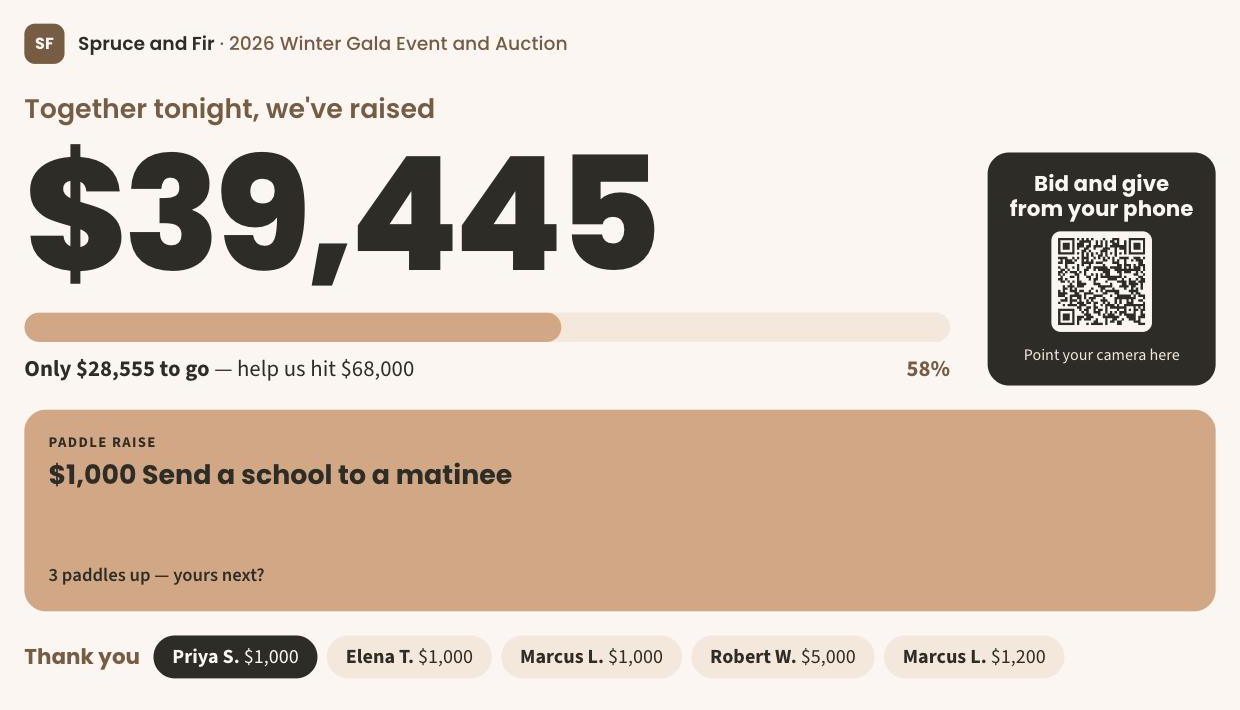
Run silent and live auctions and the paddle raise in the same account as everything else, and charge every winner in one batch at the end of the night.
Guests bid on silent items from their own phones, with maximum bids, buy it now and outbid alerts by email.
The auctioneer records live sales and paddle-raise gifts by bidder number, and guests can give from their seats.
The total against the goal, a QR code to bid and give, and a thank-you for each gift on the big display.
One button charges every ready card, once per bidder number, and a retried card is never charged twice.
Each guest gets one statement that separates the fair market value of what they won from what they gave.
Take a card on a Stripe card reader, type it in or send a link to the guest's phone.
Raffles
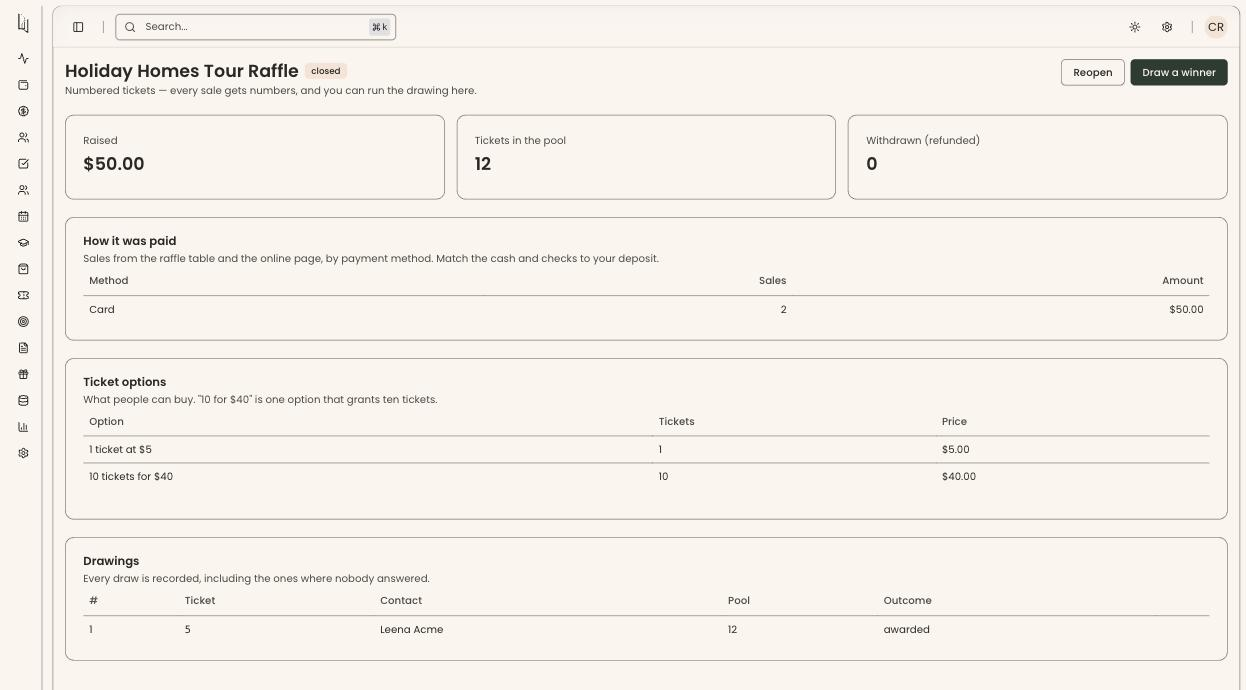
Sell raffle tickets online, at the table or at the kiosk, and keep a record of how the winner was chosen.
Sell 1 ticket for $5 beside 10 tickets for $40.
Take a card reader payment, let the buyer pay on their own phone, or record cash or a check.
Each drawing is a cryptographically random pick, every press of the button is recorded, and refunded tickets can never win.
Raffle money counts toward what you raised, never toward giving, and the ticket email is never a tax receipt.
Classes, workshops and camps
Every class, workshop and camp has its own registration, from eligibility and applications to the waitlist and the signed waiver.
Each class has its own schedule, eligibility rules, pricing and registrant questions.
Review applications before anyone pays, and fill open places from the waitlist.
Attach a waiver from your library to every class that needs it, with every acknowledgment recorded.
Take attendance, move a student to another section or issue a refund from the roster.
Members get their own price on a class automatically, set per membership level.
Clone last term's class instead of rebuilding it.
Shop and kiosk
Sell online with shipping or pickup, or in person on a tablet kiosk, and every purchase lands on the buyer's record next to their membership.
A shop-only embed, online shipping and pickup, and refund notices.
Codes including percent-off with a cap, such as “20% off, up to $20,” tracked against a campaign.
Stock counts and SKUs, and a fair market value on each product so a part-gift purchase is receipted correctly.
Give each membership level its own discount in the shop.
Admission, shop items, event tickets, raffle tickets and a donation in one payment, with tickets that match the online form.
It takes the cashier to any unfinished step, and cards, cash and checks are all recorded.

Brand kit
Forms, public pages, the donor portal and donor emails look like your organization, not like your software.
Your own fonts and colors on embeds, public pages, the donor portal and donor emails.
Give a form its own brand kit when a campaign or a partner needs a different look.
Brand colors darken automatically where needed, so text stays readable.
WCAG 2.2 AA across donor forms, the kiosk, sign-in and the dashboard, with accessible emails and PDFs.
Multiple entities
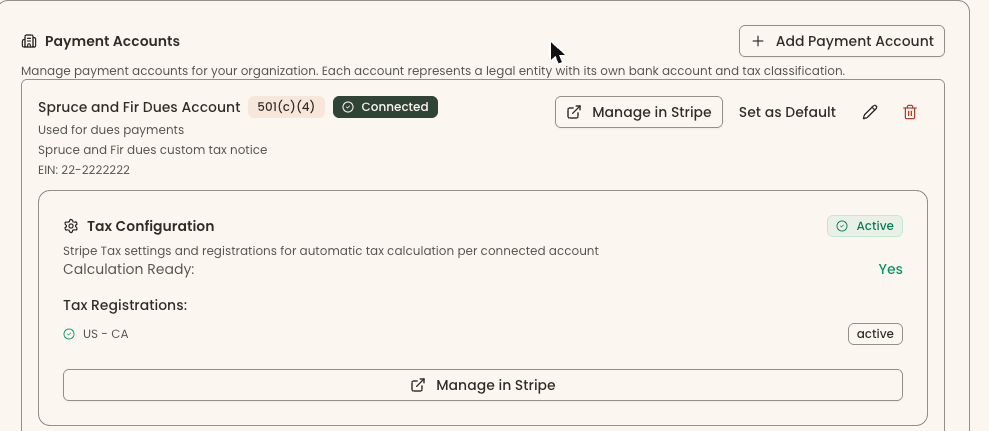
Run a club and its foundation, or an institution with several legal entities, from one organization, with the right bank account and receipt for each.
Each entity has its own bank account, EIN and tax classification, on the same organization.
A gift to a 501(c)(3) is receipted as tax-deductible, and a payment to a 501(c)(4) or 501(c)(7) says it is not.
Dues go to the club and gifts to the foundation, automatically.
Each donor's total across every entity, with $0 deductible for payments to a non-501(c)(3) account.
Finance and reports
Every payment has its own page, every total comes out to the cent, and the reports your treasurer and bookkeeper ask for are already built.
Funds, a treasurer's report, Schedule B, giving statements, non-cash gifts, closed months, change history and a journal CSV export.
Build your own list with include and leave out, save it, and pull Year-End Giving names.
Every payment, gift, membership, event order and shop sale has its own page, with real links between them.
The same refund dialog everywhere, including “Already refunded another way” for card payments.
Covered fees are handled exactly, so totals come out to the cent.
LYBUNT, SYBUNT, lapsed members, failed payments and payout reconciliation, emailed on a schedule. New Members, Outstanding Pledges and Event Transactions reports too.
Payments and integrations
Money goes straight to your organization's own Stripe account, and your books and your email list stay in step.
Your organization onboards its own Stripe account and is the merchant of record.
Payments run as direct charges on your own account, at the Stripe non-profit rate our customers receive.
Donation, membership, event and shop forms on the website you already have.
Payments sync to QuickBooks Online, and your supporters stay in sync with Mailchimp.
Everyday staff experience
⌘K global search across people, payments, orders and events, and a “+ New” button that starts from the person.
An Overview to-do list with suggested next actions, and features each organization can turn on or off.
Person pickers show an email, city or date added, so people with the same name can be told apart.
Seven ready-made team roles, from Owner to Front desk and Viewer, enforced everywhere, not just hidden on screen. Staff sign-ins last 30 days and stay active with use.
Releases cause about 30 seconds of downtime, and many features come straight from customer requests.
WCAG 2.2 AA across donor forms, the kiosk, sign-in and the dashboard, including emails and PDFs.
Member directory
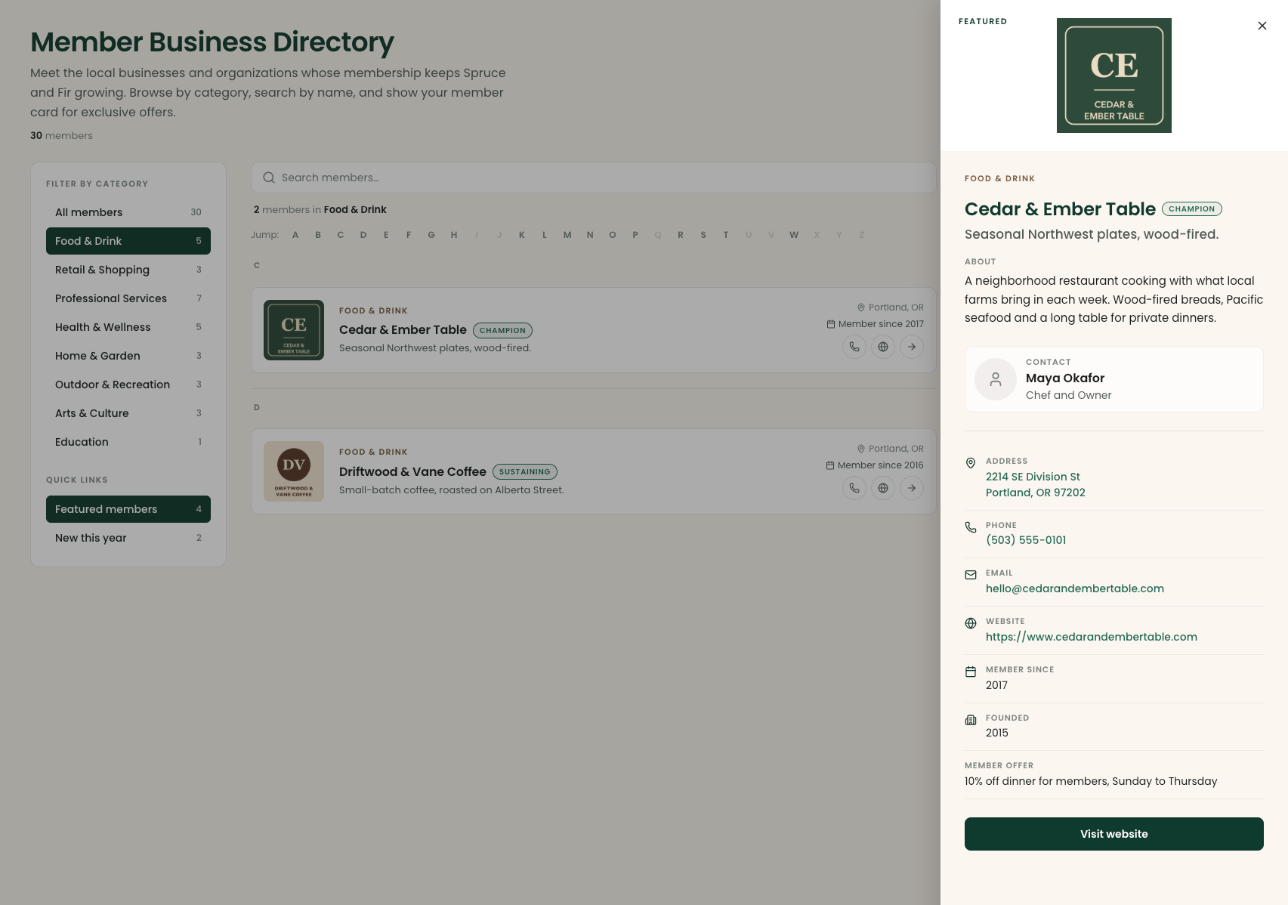
Publish your members' businesses on a public page built from the same records as their memberships.
Each member updates their details from their own portal, so nobody on staff retypes them.
After a membership lapses, the listing stays up for the grace period you choose, then comes down on its own.
Listings in more than one category, search-friendly listing pages and share links.
Member email addresses are never shown publicly. Visitors use a spam-protected “Send message” form instead.
Honest limits
Clerestory does not catalog objects. Keep your collections system for that.
Admission is sold by price tier and event tickets are general admission. Timed sessions with a capacity can be sold as an event series.
Clerestory does not manage reciprocal admission programs with other institutions.
Alerts and receipts go by email, not text message.
Email goes out under your organization's name from Clerestory's sending domain, and replies come to you.
Clerestory gives you forms, event pages and a directory to embed or link to, not a website.
Both. Clerestory is a supporter CRM with households, a Warmth score, email, letters and automations, and it processes every payment on your organization's own Stripe account, with your organization as the merchant of record.
Yes. They all run in one account, and every payment lands on the same supporter record, so a member who buys a ticket, gives at the gala and shops at the kiosk has one history rather than several.
Yes. Each entity is its own payment account on the same organization, with its own bank account, EIN and tax classification, and each receipt says whether the payment is tax-deductible.
Yes. Payments sync to QuickBooks Online, supporters stay in sync with Mailchimp, and the bookkeeper reports cover funds, Schedule B, giving statements and a journal export.
Yes. Donation, membership, event and shop forms embed on the website you already have, in your own fonts and colors.
A published per-transaction rate on your own Stripe account, adjusted for high-volume accounts, with no license fee, seats, modules or contract. Every feature on this page is included. See the pricing page for the details.