


Who can do this: Owner, Administrator, Finance and Fundraiser. Programs, Front desk and Viewer don't see "Convert to Manual" in the row menu.
Quick steps: Membership › "Member List" › ⋯ on the member's row › "Convert to Manual" › payment method, amount, start date › "Convert to Manual".
Before you start
- You need the Owner, Administrator, Finance or Fundraiser role.
- "Convert to Manual" appears only on an active membership that is still billed by an old Stripe subscription. Most memberships don't have one, so most rows don't show it.
- The member's membership level must still be active. If the level has been turned off, don't convert: the Stripe subscription would be stopped but no new membership could be made.
- Have the payment ready: how the member paid (cash, check, bank transfer or other), the amount, and any check number.
- A subscription here is an older kind of automatic renewal that Stripe ran on its own schedule. Manual means a payment staff record by hand.
- Converting doesn't refund anything. To give money back, see Refund a payment first.
Convert a membership to manual
Page: /dashboard/membership/members
- In the left-hand menu, click "Membership". The group opens.
- Click "Member List". The "Membership List" page opens.
- Find the member. Type their name in "Search by name or email..." above the list, then click "Apply Filters".
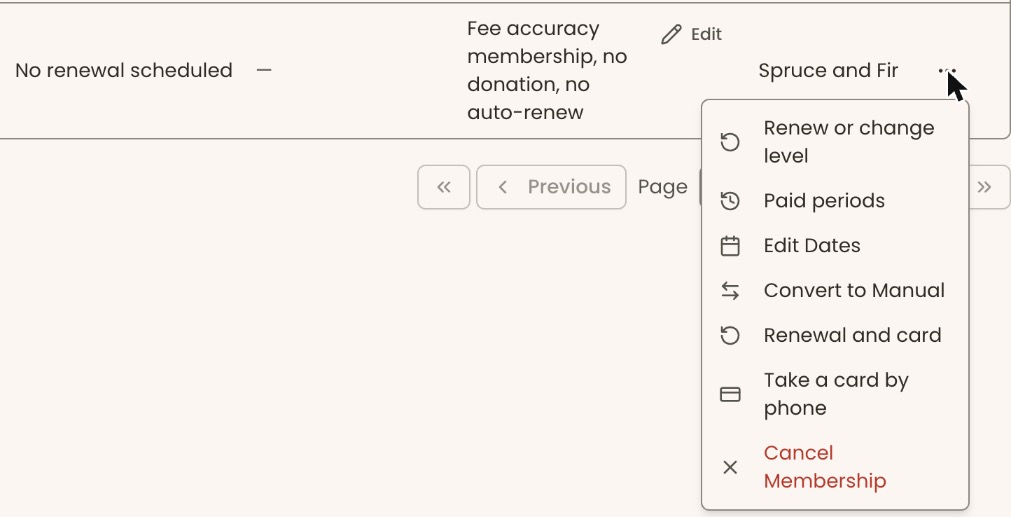
- On the member's row, at the far right under "Actions", click the three dots (⋯). If you can't see them, scroll the table sideways.
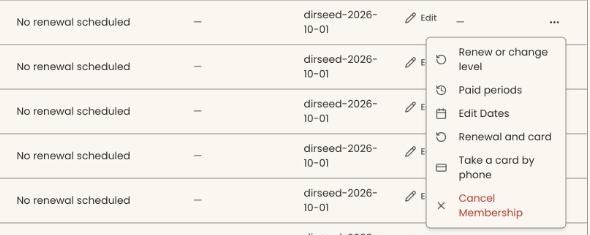
- Click "Convert to Manual". If it isn't in the menu, this membership has no old Stripe subscription, and there's nothing to convert.
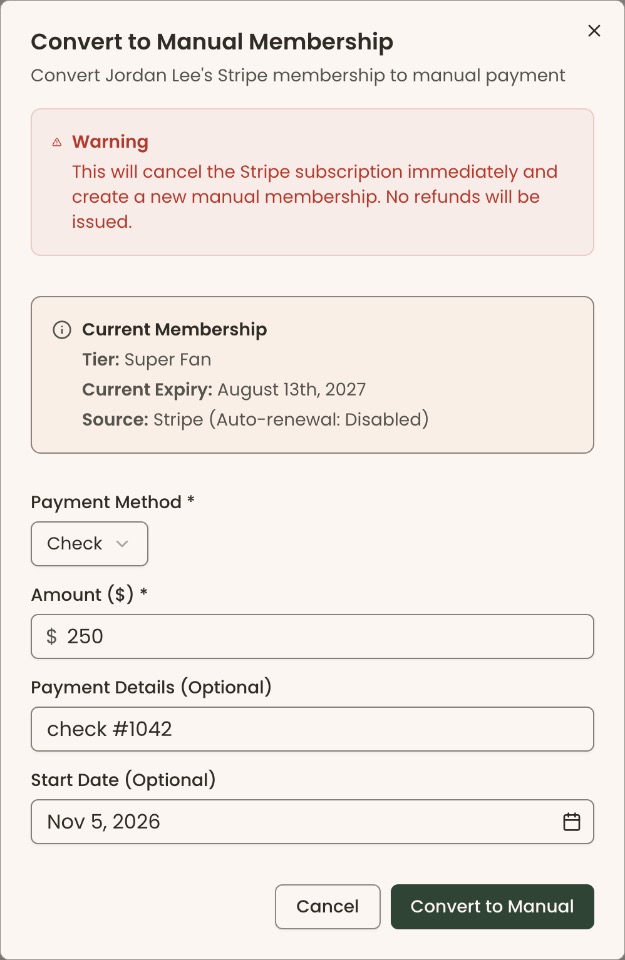
- A box opens called "Convert to Manual Membership". Under the title it says "Convert [name]'s Stripe membership to manual payment". A red "Warning" says the Stripe subscription is canceled immediately and no refunds are issued.
- Under "Current Membership", check the "Tier:", "Current Expiry:" and "Source:".
- Under "Payment Method *", choose "Cash", "Check", "Bank Transfer" or "Other". It starts on "Cash".
- "Amount ($) *" starts on the level's current price, which can differ from what the member paid before. If the member paid a different amount, select it and type the amount, for example 50.
- In "Payment Details (Optional)", type a check number or reference.
- "Start Date (Optional)" starts on today. To start the new membership later, click it and choose a date. You can't choose a date before today.
Important: Clicking "Convert to Manual" cancels the member's Stripe subscription at once, with no refund, and ends their current membership. A new membership is created from the start date, and the member is emailed a receipt for the payment. This can't be undone in the screens.
- At the bottom right of the box, click "Convert to Manual".
- You'll see "Membership converted to manual successfully". That means it worked. The list now shows the new membership, and the old one as canceled.
To stop without changing anything, click "Cancel" at the bottom of the box.
If you see "Amount must be greater than 0", type an amount. If you see "Failed to cancel Stripe subscription. Please try again.", nothing was changed. Try again later.
What changes
- The Stripe subscription stops. Stripe won't charge the member's card again.
- The old membership ends today. It shows as canceled.
- A new membership starts on the start date you chose, at the same level. Its expiry date follows the level's term rules.
- The payment you recorded is on the member's record, with the payment method and details you typed.
- To set up automatic renewal on the new membership, see Cards and auto-renew: take a card by phone, set how next year is paid, charge now.
Special cases
- "Can only convert active memberships" means the membership is no longer active. Nothing was changed.
- "Membership is not a Stripe membership" or "Stripe subscription record not found" means there is no old subscription to stop. Nothing was changed.
- "Membership tier … is not active" after you click "Convert to Manual" means the level has been turned off. By then the Stripe subscription has already been stopped and the old membership ended, but no new membership or payment was made. This can't be fixed from this box.
- No payment yet? Don't convert until you have the payment. Converting always records one.
If you make a mistake
- Wrong amount, method or details: this can't be changed from the "Convert to Manual Membership" box afterwards.
- Wrong start or expiry date: fix it with "Edit Dates". See See paid periods and fix start or expiry dates.
- Converted the wrong member: this can't be undone in the screens. The old Stripe subscription can't be restarted from Clerestory.