


Who can do this: Owner, Administrator and Finance. Other roles don't see "Closed Months" in the menu.
Quick steps: Settings › "Closed Months" › "Close September" › "Close month". To undo: "Reopen" › "Reopen month".
Before you start
- You need the Owner, Administrator or Finance role.
- Finish the month's bookkeeping first: every payment recorded, tagged and checked.
- Closing a month means no one can edit, re-tag or correct a payment dated in that month, or record a new payment into it. Refunds still go through, as a new payment dated today (see Refund a payment).
- Only a month that has ended can be closed. The list shows the last 12 months.
Close a month
Page: /dashboard/settings/closed-months
- In the left-hand menu, under Tools, click "Settings". A short list opens under it.
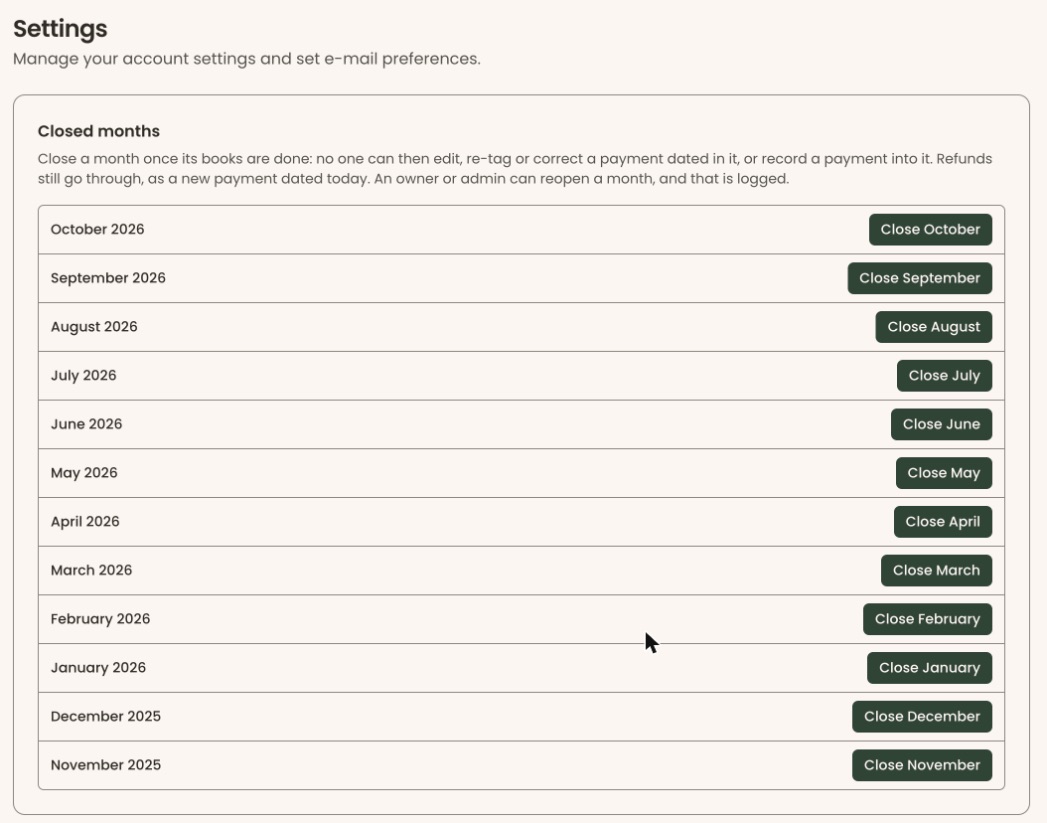
- Click "Closed Months", at the bottom of that list. You'll see a box called "Closed months" with a list of months, newest first.
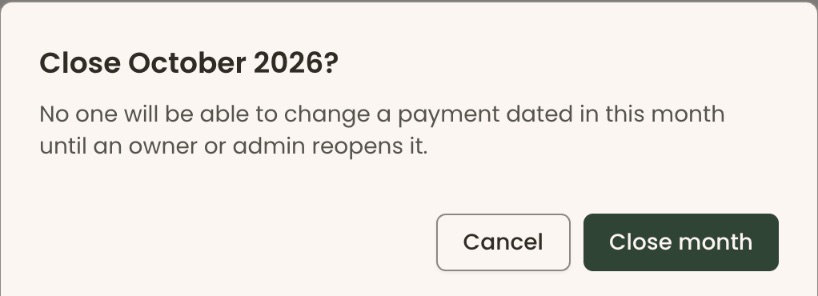
- Find the month, for example "September 2026". At the right of its row, click "Close September". A box opens called "Close September 2026?". It says no one will be able to change a payment dated in that month until an owner or admin reopens it.
Important: Once you click "Close month", no one can change a payment dated in that month until someone reopens it.
- Click "Close month". To go back without closing, click "Cancel".
- You'll see "September 2026 is closed.". The row now shows "Closed" with a padlock, and "Closed by" your name and the date. That means it worked.
Reopen a month
- On "Closed Months", find the month. It shows "Closed".
- At the right of its row, click "Reopen". A box opens called "Reopen September 2026?". It says the reopen is logged with your name.
- Click "Reopen month".
- You'll see "September 2026 is open again.". The "Closed" label goes. That means it worked.
When you're done fixing it, close the month again.
The log
Once a month has been closed or reopened, a box called "Log" below the list shows every close and reopen, newest first. For example: "Nov 4, 2026 — Jordan Lee closed September 2026". The log can't be edited or cleared.
What staff see in a closed month
If someone tries to change a payment dated in a closed month, they see a message like "September 2026 is closed, so a payment dated in it cannot be changed. An admin can reopen it in Settings > Closed months." Nothing is saved.
Special cases
- The current month isn't listed, because it hasn't ended.
- A closed month older than 12 months stays on the list, so it can still be reopened.
- "… is already closed." or "… is not closed." Someone else changed it a moment ago. Reload the page.
- "Your role doesn't allow closing or reopening a month. Ask an Administrator." Your role can't do this. Ask an Owner, Administrator or Finance user.
If you make a mistake
Closed the wrong month? Click "Reopen" on its row. Both the close and the reopen stay in the log.