


Who can do this: Owner and Administrator. Viewer can open the page and see which features are on, but the switches are grayed out. Finance, Fundraiser, Programs and Front desk don't see "Features" in the menu.
Quick steps: Settings › "Features" › click the switch next to a feature. It saves straight away.
Before you start
- You need the Owner or Administrator role.
- Know which parts of Clerestory your organization uses. A feature is one part of Clerestory, such as Events or Raffles.
- Before turning off "Volunteers", "Pledges" or "Venue rentals", read what it does to your public pages and payments in the table below.
Turn a feature on or off
Page: /dashboard/settings/features
- In the left-hand menu, under Tools, click "Settings". A short list opens under it.
- Click "Features".
- You'll see a list called "Features". Each row has the feature's name, a short description and a switch on the right.
- If you have records for a feature, the row says how many, for example "You have 12 raffles.". It also says what turning it off will do. Read it first.
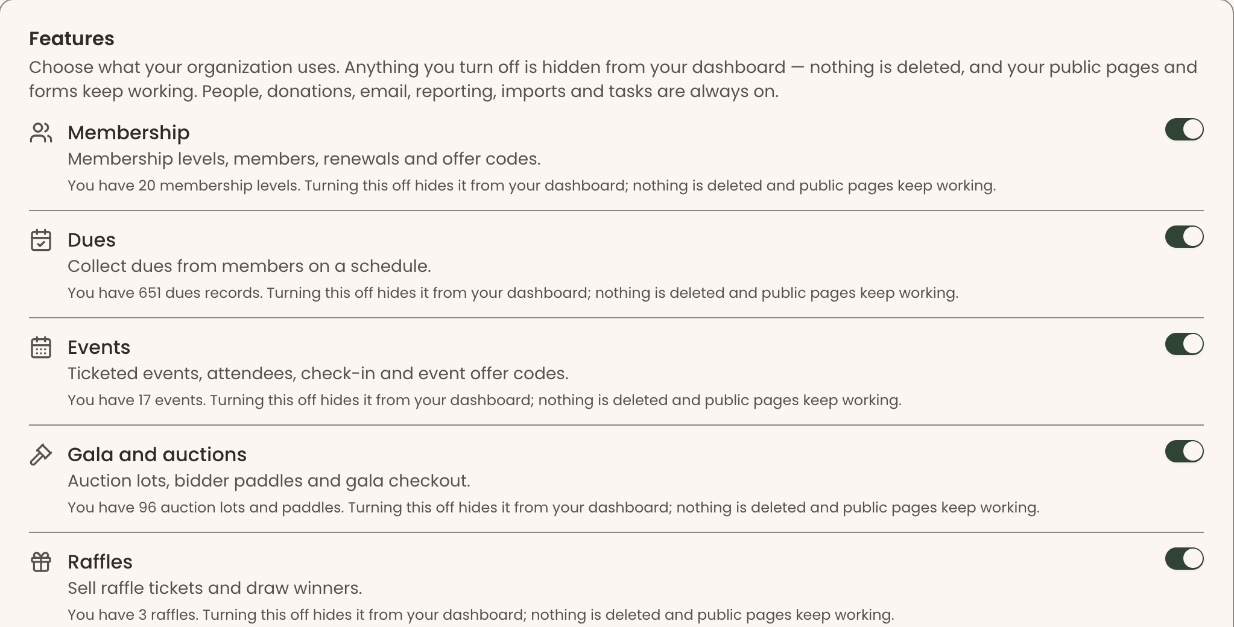
Important: A switch saves the moment you click it. Turning off "Volunteers" closes your public "Volunteer with us" page. Turning off "Pledges" stops automatic pledge payments. Turning off "Venue rentals" closes your public rental pages.
- Click the switch at the right of the feature you want to change.
- It saves straight away. There is no Save button. You'll see "<Feature name> turned on." or "<Feature name> turned off.", for example "Raffles turned off." That means it worked.
- If you see "Couldn't save that change. Please try again.", the switch stays as it was. Click it again.
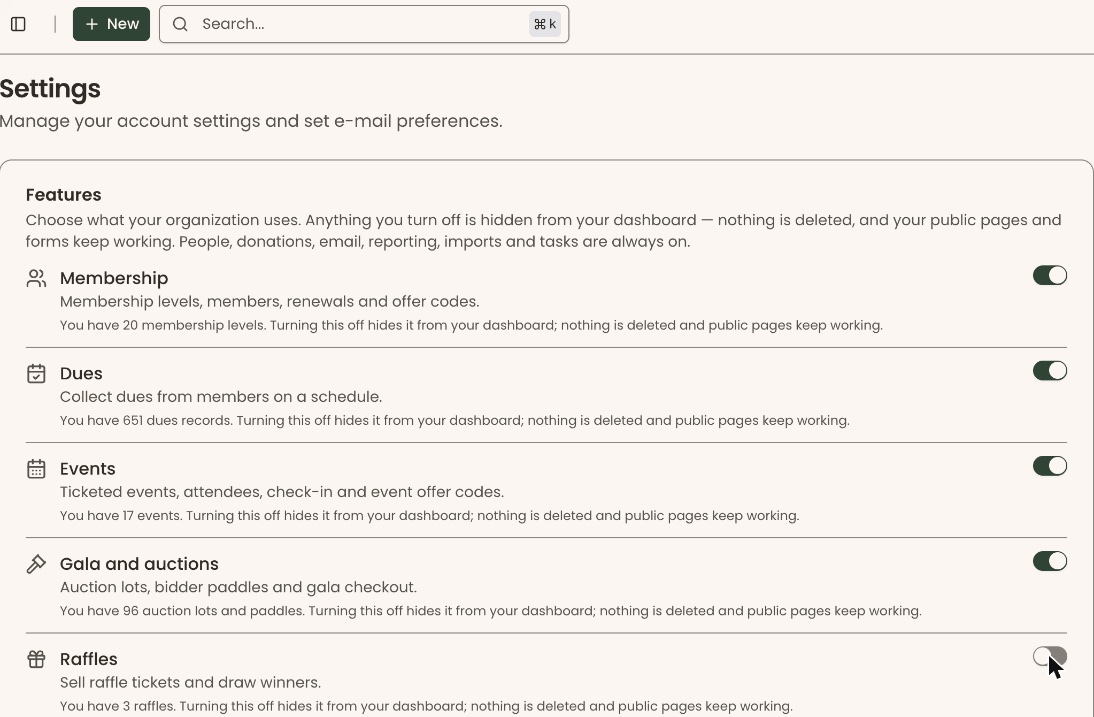
While one change is saving, the other switches are grayed out for a moment.
What each switch shows or hides
These are always on and aren't listed: People, donations, email, reporting, imports and exports, settings and tasks.
| Switch | Starts | What it shows or hides in the left-hand menu |
|---|---|---|
| "Membership" | On | Fundraising › Membership, with "Member List", "Membership Settings", "Offer Codes" and "Profile Fields". |
| "Dues" | On | The "Dues" row under Fundraising › Membership. |
| "Events" | On | Fundraising › Events, with "Events", "Event Series", "Event Custom Fields" and "Offer Codes". Also the check-in pages. |
| "Gala and auctions" | On | There is no menu row of its own. Turning it off closes the gala pages (auction lots, bidder paddles, gala checkout) and removes gala results from search. |
| "Raffles" | On | Fundraising › Raffles. |
| "Classes" | On | Programs & Sales › Classes & Camps, with "Classes" and "Catalogs". Also Operations › Waivers, unless Events is on. |
| "Admission" | On | Programs & Sales › Admission, with "Admission Settings" and "Visitor Dashboard". |
| "Shop" | On | Programs & Sales › Retail, with "Purchases", "Retail Products" and "Offer Codes". |
| "Member directory" | On | "Directory" under Fundraising › Membership. |
| "Volunteers" | Off | People › Volunteers. Off also closes your public "Volunteer with us" page and stops logging standing-shift hours. Volunteer shifts on an event work either way. |
| "Pledges" | Off | Fundraising › Pledges. Off also hides pledges from your supporters' portal and stops automatic pledge payments. No gift is taken off a pledge. |
| "Venue rentals" | Off | Programs & Sales › Rentals. Off also closes your public rental pages. |
| "Gifts from donor-advised funds" | Off | There is no menu row. On adds the donor-advised fund option to your donation forms. Off removes it and stops reminders. Gifts already recommended stay in "Waiting for DAF funds", so you can still mark them received. |
| "Campaign Groups" | Off | Fundraising › Campaign Groups. Off only hides the groups. Reports and public pages don't change, and anything already in a group stays in it. Each campaign's own page stays open. |
A menu row also only shows to people whose role allows that area. Turning a feature on doesn't give anyone new access.
Special cases
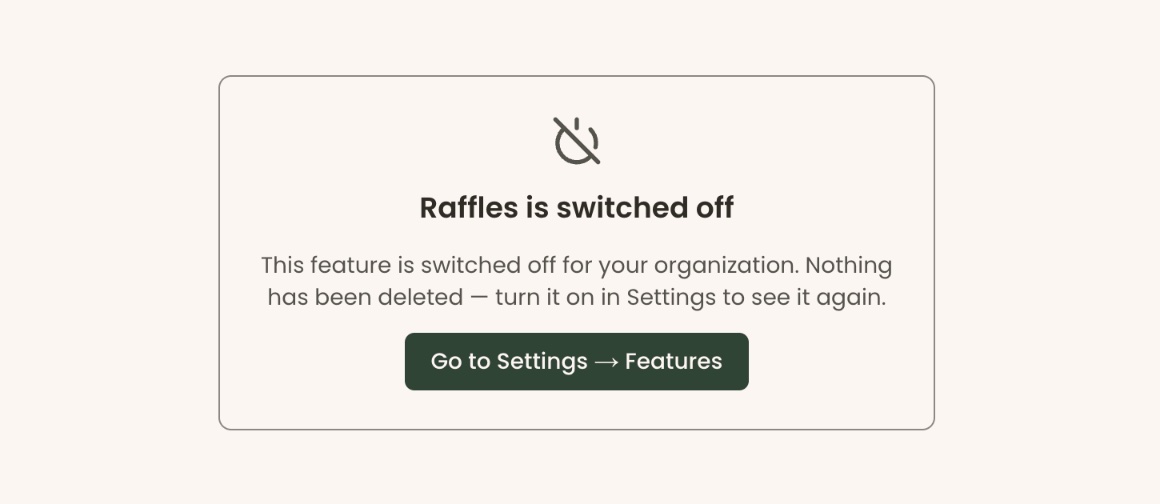
- Opening a page for a feature that's off. If someone follows an old link or bookmark to a page whose feature is off, they see "<Feature name> is switched off" and a "Go to Settings → Features" button. Nothing has been deleted.
- Gifts from donor-advised funds settings. When this switch is on, a box opens under it:
- "Supporters will be given:" shows the legal name, EIN and mailing address supporters will use to recommend a grant.
- If there is no EIN on file, it says "Your forms won't offer this until your organization has an EIN on file: a supporter can't recommend a grant without it." Click "Fix your legal name, EIN or address" to go to Settings › Organizations.
- "Remind supporters after" ___ "days": type a number from 1 to 365 and click "Save". You'll see "Supporters will be reminded after 14 days." (with your number). Leave it blank and click "Save" to send no reminder; you'll see "Supporters won't be reminded." One reminder is sent per gift, never more.
If you make a mistake
Click the switch again. Turning a feature back on brings back everything it had, because nothing was deleted.